QSO Predictor
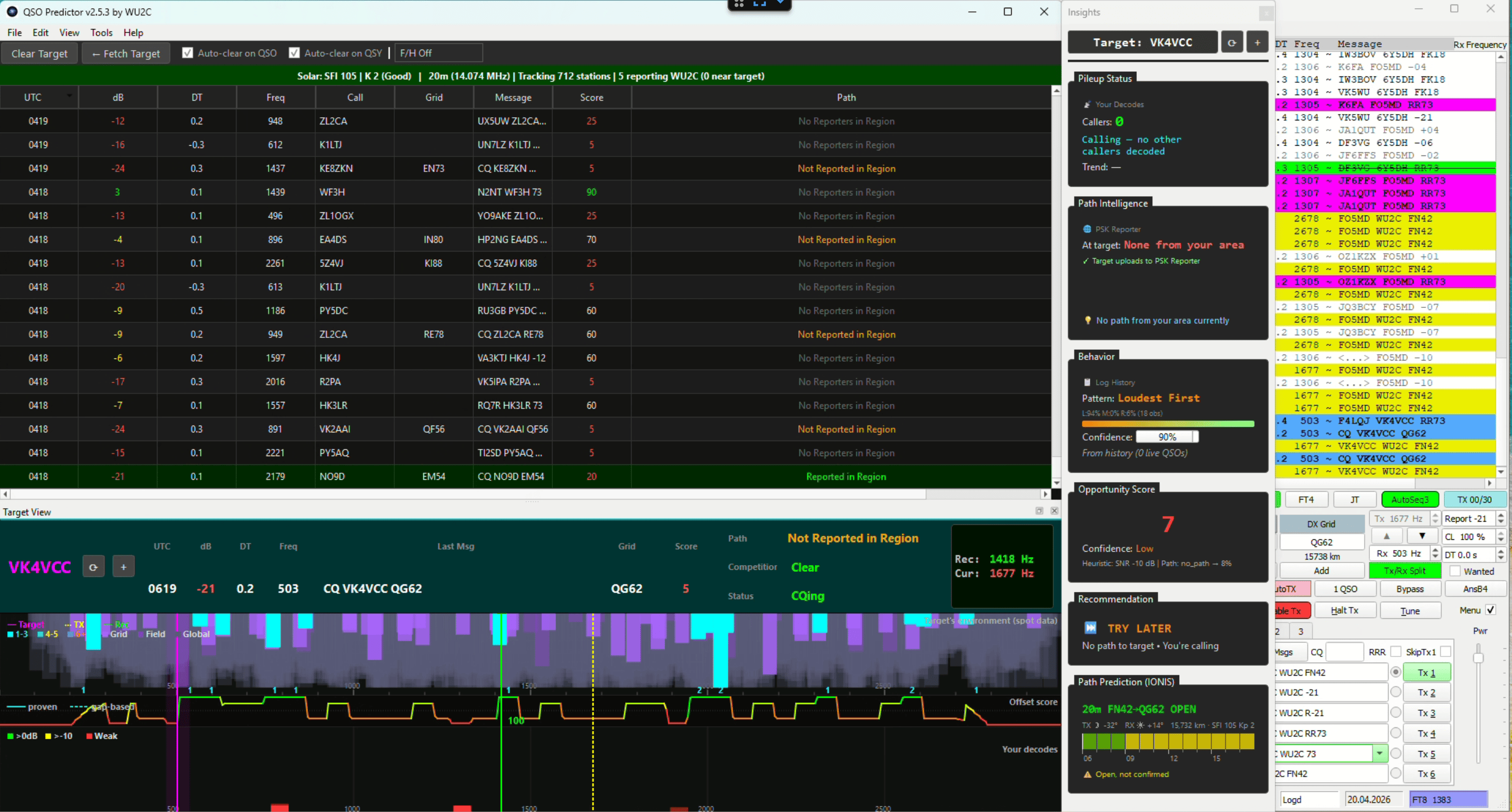
Real-time tactical assistant for FT8 and FT4 amateur radio.
QSO Predictor shows you the view from the other end of the QSO — what the DX station is hearing, who’s in their pileup, and which frequencies are clear at their location. Stop calling into pileups you can’t hear, and stop wasting calls on paths that aren’t open.
See it work — 69 seconds, real QSOs, unscripted
A live session on 40m: calling Nigeria into a hidden pileup, then working two stations — including Puerto Rico — with double-click-to-call.
What it does
- Target perspective band map — reconstructs what the DX station’s region is decoding, using PSK Reporter data filtered by geographic proximity
- Frequency recommendations — identifies clear frequencies at the target’s location, not just yours, and leans toward where a target that sweeps its pileup methodically will arrive next
- Propagation confirmation — shows whether your signal is reaching the target’s region before you call
- Click-to-call — double-click a station and it’s set up in WSJT-X: a fresh CQ gets a native reply, anyone else lands in the DX Call box ready for you to hit Enable TX
- Local intelligence — learns behavior patterns of stations you observe and predicts their calling style
- Station diagnostics (“the Doctors”) — one Full Checkup passively examines the system clock, app configs, the UDP decode chain, serial/CAT ports and adapter chips, OS power-management traps, and (on Windows) the audio path between WSJT-X/JTDX and your rig — then builds a single shareable report made to be pasted into a forum thread or an AI assistant
Works alongside WSJT-X or JTDX via UDP integration, or with the FT8web browser-based client via its External Data Stream. You keep full control of your radio — QSO Predictor never transmits on its own.
Install

Windows users — Microsoft Store (recommended): One-click install, automatic updates, signed by Microsoft. Requires Windows 10 1809 or later.
Windows (GitHub download), macOS, or Linux: See the
latest release on GitHub
for the .zip (Windows), .dmg (macOS), or source. Windows users downloading
the .zip will see a SmartScreen warning the first time — click “More info”
→ “Run anyway”. This is normal for open-source software distributed outside
the Store.
Documentation
- User Guide — Getting started, workflow, and interpreting the display
- Integrations — Running QSO Predictor alongside GridTracker, JTAlert, and your logger (UDP multicast and daisy-chain setups)
- Technical Wiki — Deep dives, troubleshooting, and internals for advanced users
Open source
QSO Predictor is released under GPLv3. Source code, issue tracker, and contributing guidelines are on GitHub.
Contact
For bug reports and feature requests, file an issue on GitHub.
For other questions, see Support.
QSO Predictor is written and field-tested by Peter Hirst, WU2C at his own station in FN42 — born of his own on-air problems, and sharpened by the reports and ideas of its early users.
73 de WU2C
Posts
subscribe via RSS